Consent Mode v2: basic vs advanced, and which one you need
By Motabar Javaid · · 4 min read · Updated
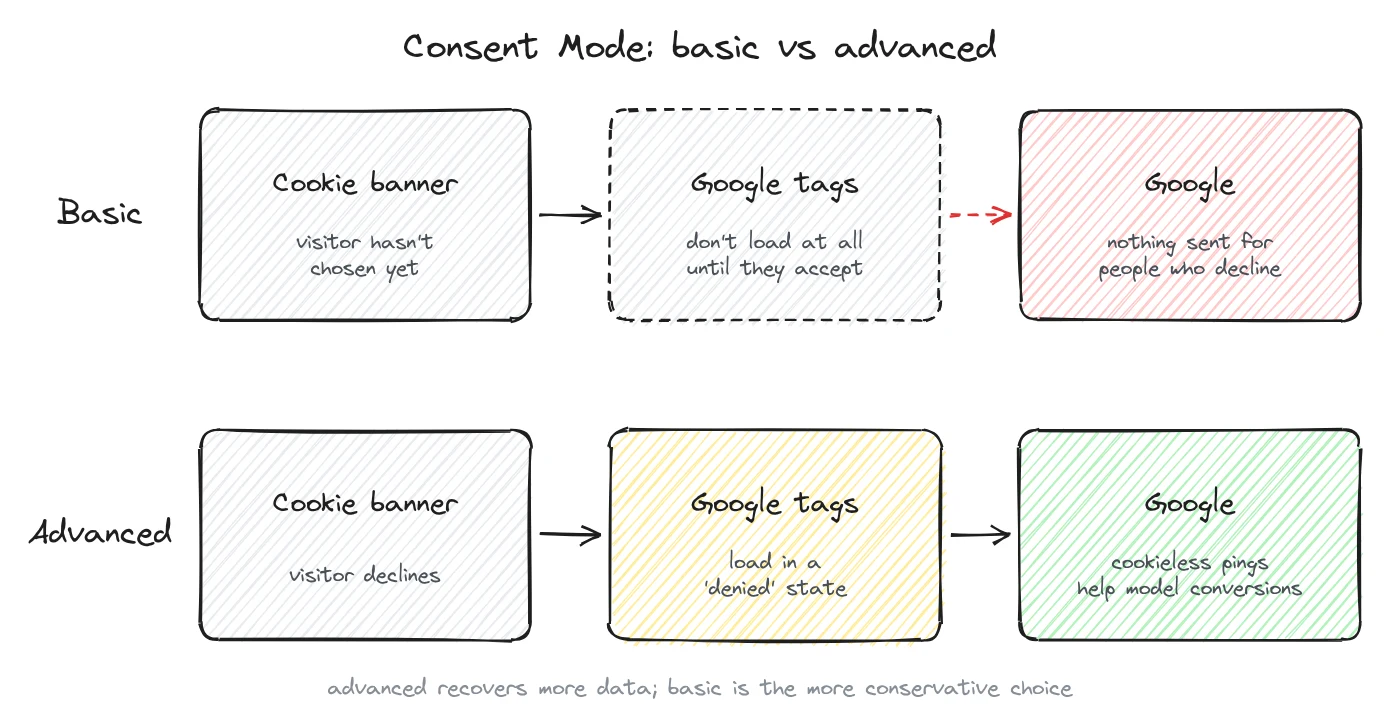
Short answer: Consent Mode tells Google's tags what each visitor agreed to on your cookie banner. Version 2 adds two signals, ad_user_data and ad_personalization, and Google requires them for visitors from the European Economic Area if you want to keep using audiences and full measurement in Google Ads. In basic mode, Google tags don't load at all until someone accepts. In advanced mode, they load straight away in a "denied" state and send cookieless pings, which lets Google model more of the conversions you'd otherwise lose. Advanced recovers more data. Basic is the more conservative choice.
Which one is right is partly a legal decision, so involve whoever owns privacy at your company. Here's the technical side.
The four consent signals
ad_storage: can advertising cookies be stored?analytics_storage: can analytics cookies, like GA4's, be stored?ad_user_data: can user data be sent to Google for advertising? (new in v2)ad_personalization: can data be used for personalised ads and remarketing? (new in v2)
Your cookie banner, or consent management platform (CMP), sets each one to granted or denied based on what the visitor chose.
Basic mode
- Google tags are blocked until the visitor makes a choice.
- If they accept, tags load and work normally.
- If they decline, nothing is sent to Google.
Google can still estimate missing conversions using a general model, but it has no data from those visitors to base it on.
Advanced mode
- Google tags load immediately, with default consent set to
denied. - While denied, they send cookieless pings: no cookies, no identifiers, just signals that an event happened.
- When the visitor accepts, consent updates to
grantedand tags work normally from then on.
Those pings let Google build advertiser specific models that estimate conversions from visitors who declined. In GA4, behavioural modelling can fill some of the gap too, once your property meets Google's minimum traffic thresholds.
Which should you choose?
- Advanced gives more complete reporting and better ad optimisation. It's what most marketing teams want.
- Basic sends nothing until consent, which some legal teams prefer.
The decision depends on your interpretation of privacy law in the countries you serve. I'll set up either, but the choice should be signed off by whoever is responsible for privacy.
How to set it up
- Use a consent platform that supports Consent Mode v2. Google maintains a list of certified CMP partners, and most major banners integrate with Tag Manager through a template.
- Set defaults before any tag fires. In Tag Manager, the consent default must run on Consent Initialization, before your Google tag. Getting this order wrong is the most common mistake.
- Set region specific defaults if you want them, for example denied by default for the EEA and UK, and granted elsewhere where the law allows.
- Update consent when the visitor makes a choice. Your CMP's template usually handles this.
- Configure non Google tags too. Meta, LinkedIn and others don't read Consent Mode automatically. Use Tag Manager's consent settings to block them until consent.
How to check it's working
- In Tag Manager Preview, look at the Consent tab for each event. You should see default states set first, then updated ones after accepting.
- Decline the banner and check the Network tab. In advanced mode you'll still see GA4 requests, but they carry consent parameters showing denied states.
- In Google Ads, check your conversion diagnostics for consent mode status.
A related issue: if your tag only loads after consent, the landing page and campaign data can be lost before the session starts. That's one cause of high direct and (not set) traffic in GA4.
My open source consent management toolkit has more on structuring this. If you want it set up and tested, it's included in my server side tracking setup and Google Tag Manager implementation services.
Frequently asked questions
Is Consent Mode v2 required?
If you advertise with Google and have visitors from the European Economic Area, Google requires Consent Mode v2 signals to keep using audiences and personalised advertising features for those visitors.
What is the difference between basic and advanced Consent Mode?
In basic mode, Google tags don't load until consent is given. In advanced mode, tags load immediately in a denied state and send cookieless pings, which enables better conversion modelling.
Does Consent Mode work with Meta and other non Google tags?
No. Consent Mode is a Google feature. Block other vendors' tags with Tag Manager's consent settings or your consent platform until the visitor accepts.