What is a data layer, and why does your tracking need one?
By Motabar Javaid · · 3 min read · Updated
Short answer: A data layer is a small JavaScript object on your website, usually called dataLayer, where your site writes facts like "a lead form was submitted" or "this order was worth $240". Google Tag Manager reads from it and sends those facts to GA4, Google Ads, Meta and others. Tracking built on a data layer keeps working when your site is redesigned, because it doesn't depend on button colours, CSS classes or page URLs.
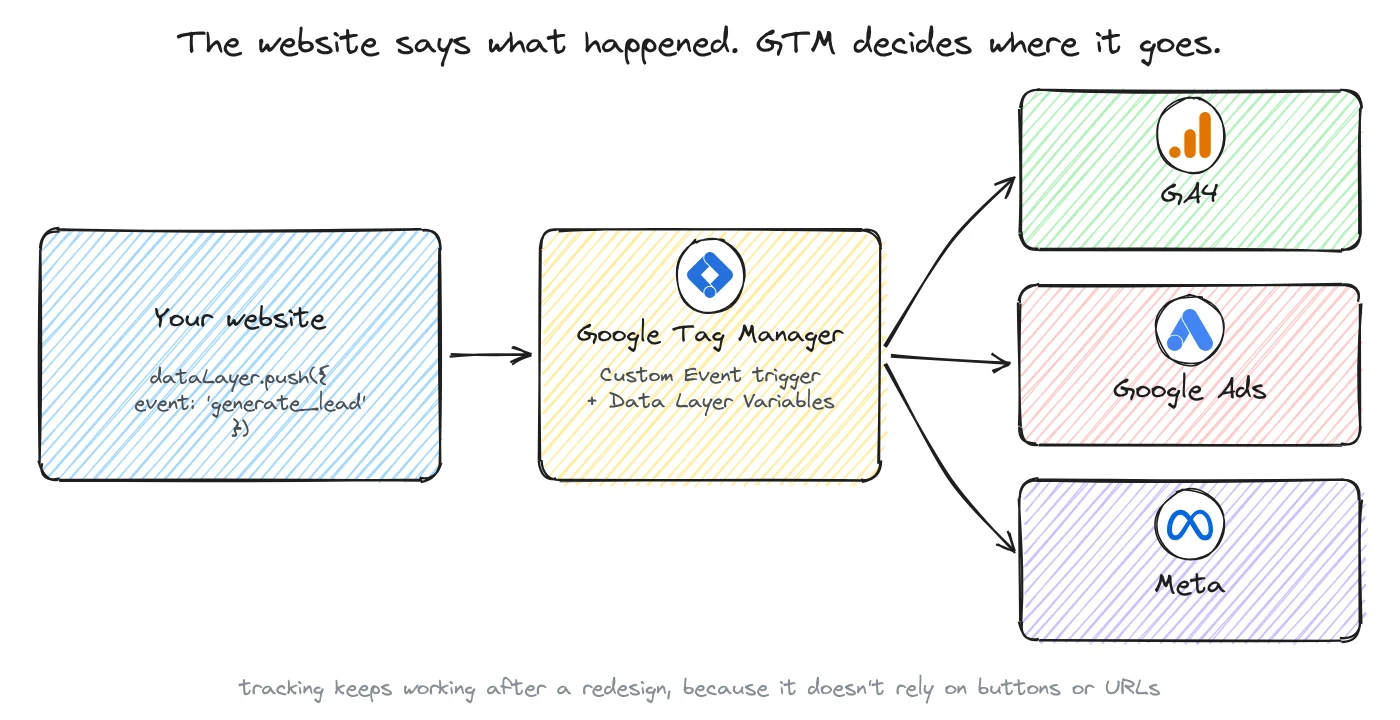
Most broken tracking I fix wasn't built on a data layer. It was built on guesses about what the page looks like.
The problem it solves
Without a data layer, Tag Manager has to work out what happened by looking at the page:
- "Fire the lead event when someone clicks a button with the class
btn-submit." - "Fire the purchase event when the URL contains
/thank-you." - "Read the order value from the text inside
<span class="total">."
All three break the moment a developer renames a class, changes a URL or redesigns the checkout, and nobody tells the marketing team. Conversions drop to zero, and you find out at the end of the month. My guide on GA4 not recording conversions is full of cases like this.
How a data layer works
Your website pushes an event into the data layer when something meaningful happens:
window.dataLayer = window.dataLayer || [];
window.dataLayer.push({
  event: 'generate_lead',
  form_name: 'contact',
  lead_type: 'audit_request'
});
In Tag Manager, you then:
- Create a Custom Event trigger that listens for
generate_lead. - Create Data Layer Variables for
form_nameandlead_type. - Fire your GA4, Google Ads and Meta tags from that trigger, passing the variables along.
The website says what happened. Tag Manager decides where to send it. Developers and marketers stop stepping on each other.
What a good purchase push looks like
For ecommerce, GA4 expects a specific structure:
window.dataLayer.push({ ecommerce: null }); // clear the previous ecommerce object
window.dataLayer.push({
  event: 'purchase',
  ecommerce: {
    transaction_id: 'T-10492',
    value: 240.00,
    currency: 'USD',
    items: [
      { item_id: 'SKU-21', item_name: 'Studio Session', price: 240.00, quantity: 1 }
    ]
  }
});
Three things matter here:
transaction_idlets GA4 drop duplicate purchases, like when someone refreshes the thank you page.valueandcurrencyare what make revenue appear in reports.- Clearing the ecommerce object first stops data from a previous event leaking into this one.
What to push
A good starting list for most sites:
- Lead generation:
generate_leadon confirmed form success, with the form name - Bookings: an event when a call is actually booked, not when the calendar opens
- Ecommerce:
view_item,add_to_cart,begin_checkout,purchase - SaaS:
sign_up, and trial to paid if the site knows about it - Page context: page type, logged in status, and a hashed user ID if you use one
Fire events on success, after the server confirms, rather than on the button click. A click on Submit also happens when the form fails validation.
Who sets it up?
A developer adds the dataLayer.push calls, usually a small job once the plan is clear. Many platforms, like Shopify and WooCommerce, have plugins or apps that push standard ecommerce events for you. Check what they push before building your own on top.
The most useful thing you can give a developer is a short tracking plan: event names, when each fires, and which parameters it carries. That's a standard part of my Google Tag Manager implementation work. If you suspect your current container is a mess, my GTM container audit checklist is a good next read.
Frequently asked questions
What is the data layer in Google Tag Manager?
It's a JavaScript array on your website called dataLayer. Your site pushes events and details into it, and Tag Manager uses them to fire tags and send data to tools like GA4 and Meta.
Do I need a developer to set up a data layer?
Usually, yes, for the dataLayer.push code on your site. Many ecommerce platforms have apps or plugins that push standard events for you.
Why is tracking with a data layer more reliable?
Because it doesn't depend on how the page looks. Redesigns that change buttons, classes or URLs don't break it, as long as the site keeps pushing the same events.