How to set up cross domain tracking in GA4 (and check it works)
By Motabar Javaid · · 4 min read · Updated
Short answer: Cross domain tracking lets GA4 treat a visit that moves between your domains, like yoursite.com to shop.othersite.com, as one session from one visitor. Set it up in GA4 under Admin, Data streams, your web stream, Configure tag settings, Configure your domains, and list every domain in the journey. Then test it: when you click from one domain to the other, the URL should carry a _gl parameter, and the session should keep its original source.
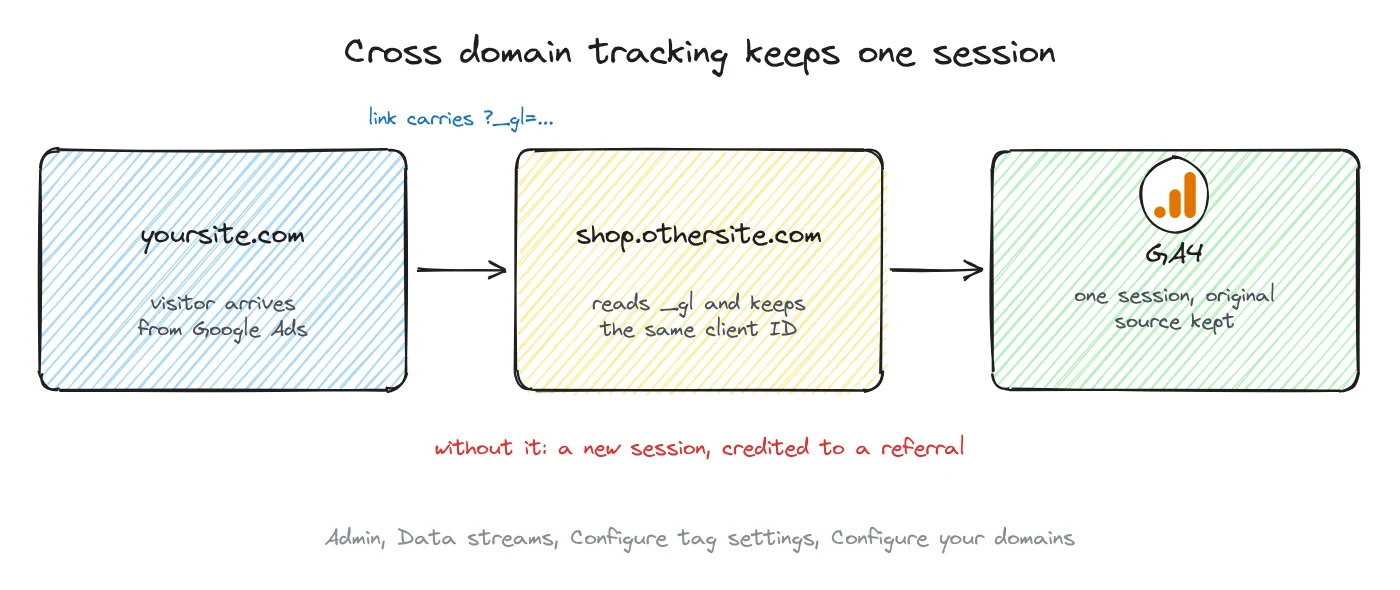
Without it, a visitor who clicks your Google ad, lands on your main site and then books on a separate booking domain shows up as two people. The booking gets credited to a referral from your own website, and your ad looks like it never converted.
When you need it
You need cross domain tracking when a single customer journey crosses different domains that both run your GA4 tag:
- A marketing site and a separate checkout or shop domain
- A website and a booking or scheduling tool on its own domain, where you can add your GA4 tag
- A marketing site and a web app on a different domain
You don't need it for subdomains of the same domain, like www.yoursite.com and app.yoursite.com. GA4 handles those automatically, because they can share the same cookie.
How to set it up
- In GA4, go to Admin, Data streams, and open your web stream.
- Click Configure tag settings, then Configure your domains.
- Add a condition for each domain in the journey, for example "contains
yoursite.com" and "containsyourcheckout.com". - Save.
- Make sure the same GA4 measurement ID is installed on every domain. Cross domain tracking only works if both sides send data to the same property.
That's it on the GA4 side. The Google tag now adds a _gl parameter to links between those domains, which carries the visitor's identity across.
How to test it
- Open a private browser window.
- Visit your first domain using a test campaign link, like
?utm_source=test&utm_medium=test&utm_campaign=crossdomain. - Click through to the second domain.
- Check the URL on the second domain. It should contain
_gl=followed by a long string. - In GA4's Realtime report, the visit should still show your test source, not a referral from your first domain.
Why it often breaks
The setup takes five minutes. Getting it to actually hold is where things go wrong:
- Redirects strip the
_glparameter. If the link goes through a redirect that drops query strings, the identity gets lost on the way. Fix the redirect so it passes parameters through. - Forms that post to the other domain. The automatic link decoration handles normal links. Forms that submit straight to another domain may need extra setup.
- Links created by JavaScript. Buttons that send people across with JavaScript instead of a normal link may not be decorated.
- Embedded iframes. A booking widget embedded in an iframe is a different case from a link, and cross domain tracking doesn't cover it out of the box. It needs its own approach, and sometimes the tool's own integration.
- A tag you can't edit. If the third party domain doesn't let you add your own GA4 tag, cross domain tracking can't work. Use the tool's own conversion integration, or send conversions server side instead.
Check your referral list too
Even with cross domain tracking in place, check Admin, Data streams, Configure tag settings, List unwanted referrals. Add payment providers like PayPal and Stripe there, so returning from an external checkout doesn't credit the sale to them. My guide to the GA4 settings to change on day one covers this and a few others.
If ad conversions and GA4 still disagree after this, read why Meta, Google Ads and GA4 conversions don't match. If you want it set up and tested for you, that's part of my GA4 audit and repair.
Frequently asked questions
Do I need cross domain tracking for subdomains in GA4?
No. Subdomains of the same domain share cookies, so GA4 tracks them as one site automatically.
What is the _gl parameter in my URL?
It's added by the Google tag when cross domain tracking is set up. It carries the visitor's identity from one domain to the next, so GA4 can keep the session together.
Why does my own domain show up as a referral in GA4?
Usually because cross domain tracking isn't set up between your domains, or a redirect is stripping the _gl parameter, so GA4 starts a new session credited to your other domain.